Showing posts with label Screen Sharing. Show all posts

Thursday, 10 August 2017

How to Stop Your XP Computer from Hibernating (Shutting Down)

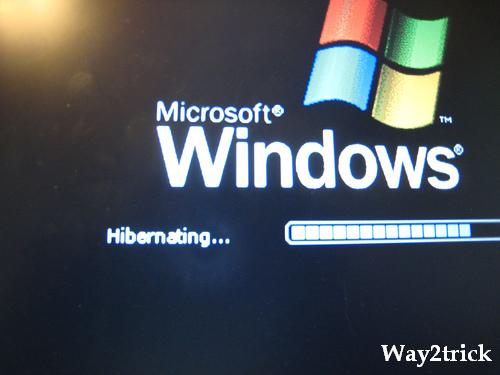
In Windows XP, Hibernation mode is a powered-off state in which the contents of the RAM is dumped into a file at the root of the Windows drive (usually C). When this mode is selected, the contents of active memory are copied directly to a file, and immediately reloaded upon start up, letting you pick up directly where you left off, in most cases. 
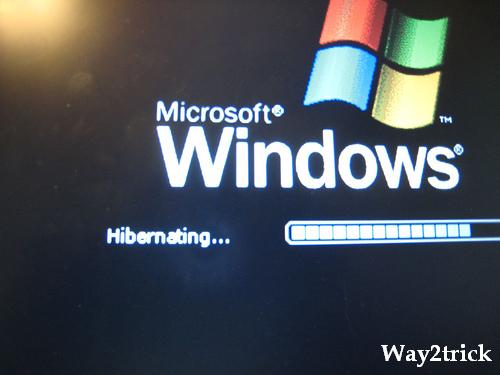
How to Stop Your XP Computer from Hibernating (Shutting Down)


Sometimes this causes undesirable operation, or if your computer is set to hibernate in the event of a low battery, applications can crash, causing valuable data to be lost. This article describes how to disable the hibernation feature altogether on your machine.
Please note that you must be logged in as an Administrator and not a Limited Account in order to make this change.

Steps:-


1. Open your start menu.

2. Click on "All Programs".


3. Click on "Control Panel".


4. Click on "Power Options".


5. Click on "Hibernate".


6. Change settings to "Disable" Hibernate.


7. Click "Apply". You must do this to apply it--or it won't work!


8. Click "Ok" and that will stop the hibernating from occurring
  • You can always turn it back on, later,  if you like.


Tips:-

  • For saving some battery energy for a laptop, if you want to turn off only the monitor then you can set "Power Options" to do that, or
    • you may even turn off both the monitor and the hard drive after "different or the same" set lengths of time, but the CPU can remain awake.

Warnings:-

  • Do not do this to a computer that is not yours without asking the owner first.

Wednesday, 24 May 2017

New Screen Sharing Apps Do Not Require Plugins

The newer versions of Google Chrome desktop browser and Chrome for Android include support for WebRTC (Web Real Time Communications), an emerging web standard that enables developers to add real-time audio and video capabilities to their web applications without the need for plug-ins or proprietary codecs.

With WebRTC, developers can build web apps that include capabilities like voice calling, audio & video conferencing, video broadcasting, screencasting and screen sharing in the browser via simple JavaScript without requiring plugins. Read this article on HTML5Rocks to gain a better understanding of WebRTC.


SCREEN SHARING APPS NEED NO PLUGINS

While WebRTC is still not supported by other popular browsers like IE and Safari (see IsWebRTCReadyYet.com), there are web apps already – same.io, talky.io and appear.in to name a few – that are using this technology to offer one-click screen sharing in the browser without you having to install or download anything. All you need is the latest Chrome browser.

There’s a little setting in Chrome that you need to enable though. Type chrome://flags in your Chrome’s address bar, find the setting that says “Enable screen capture support in getUserMedia()”, click the Enable button and restart your Chrome browser.

Same.io and Talky.io allow you to share your desktop screen with anyone though the Chrome browser. You open the website, allow the Chrome browser to access your web camera and microphone and hit the “Share my Screen” button. When you initiate a screen sharing session, you get a unique web URL and anyone who knows that URL can view your desktop screen live in their own Chrome browser.

The advantage with Talky.io is that it also allows private sessions so you can protect your screen sharing URLs with a password.

Appear.in is primarily an app for video meetings that also allows you to share your desktop screen with all the other meeting participants. You can invite up to 8 people in the video chat room and invitees can join the room by simply entering a unique URL. The developers have written a technical guide on how the app was implemented using WebRTC and HTML5.

The quality of streaming video is acceptable and because these screen sharing apps work directly in the browser, they can be used on all platforms where Chrome is available (including Chrome OS). That said, there’s still work to be done, especially on the WebRTC end, before these apps can be considered as true replacements of dedicated screen sharing software programs like TeamViewer, Join.me or even Skype.

Related Posts Plugin for WordPress, Blogger...

Labels

404 AdBlock Add-on Airtel GPRS Trick Airtel SMS Trick Alexa Amazon Amazon Kindle Amazon Prime Android Android 8 Android Oreo antivirus Apple Apple Mac ASCII Audacity Audio Authotkey Backup Balance Transfer in Vodafone Battery Bing Blogger Blogging Bookmarklet Browser Camera Chromebook clock Cloud colors command lines Computer Computer Tricks configuration Contact Creative Commons Credit Card CSS devolop DIY Doodle DOS Download Dropbox E-Mail eBook Email Email Attachment Embed Encryption English Error Evernote Eyes Facebook Facebook Tricks Feedburner Flipkart Font Foursquare Free Internet Free sms trick in Vodafone G Mail Gadget Game Getty Images GIF Gists Github Google Google AdSense Google Analytics Google Apps Google Chrome Google Contacts Google Currents Google DNS Google Docs Google Drive Google Earth Google Font Google Forms Google Images Google Map Google Photos Google Play Store Google Plus Google Print Google Reader Google Script Google Sheets Google Spreadsheet Google Translate GPRS Setting GPS Hacking Health App HelloFax Hindi Hoodie HTML Icons idea Image Editing Images IMEI Indian Railways Infographics Instagram Internet Internet Explorer Internet Tricks iOS iPad iPhone IRCTC iTunes iTV JavaScript JioCinema JioTV Junglee Kindle Language Translation Laptop Laptop. TV Life Time FREE GPRS Life-Style Link Linkedln Linux logo Make Money Online Microdoft Powerpoint Microdoft Word Microsoft Office Microsoft Outlook Mobile Mosaic Music Name Networking nexus Notepad OCR Online Shopping Open DNS OS Outlook Password PDF Petya Phillips Hue Lights Photogtraphy Pixel Play Station Podcasts Pokemon Pokemon Go Polls Print Productivity Proxy Server Pushbullet QR Code Ransomware Reddit Reliance Hack GPRS Reliance Jio RGB Ringtone Router RSS Safe Mode Samsung Galaxy S Scrabble Screen Capture Screen Sharing Screencast Secrets Security Send free sms from PC SEO Sierra Skype Slideshare SMBv1 SMS Snapchat Snapdeal Social Media Solution Sound Device Speech Recognition Sql Steam Sync Synology NAS Tata Docomo GPRS trick Teleprompter Torrent Trick Tricks TV Twitter UltraISO Unicode Unknown Extension Unlimited 2GB Unlimited 3GB Unlimited GPRS USB USB Security Key Video Editing virtual desktop Virus attack VLC Vodafone 110% working trick for GPRS Vodafone 3g Vodafone GPRS VPN wallpapers WannaCry Web Design Web Domain Website Wget Whatsapp WiFi Wikipedia Windows Windows 10 Windows 10 S Windows KN Windows Tricks windows updates Winows N Wolfarm Alpha WordPress XBox YouTube Zip
Twitter Delicious Facebook Digg Stumbleupon Favorites More